It is essential to note that website speed is becoming increasingly crucial. Users want fast-loading pages while search engines prioritize quicker websites in their search results. Website speed depends on many factors; however, images play a key role in website loading speed.
Business websites often have images with large sizes, making the website slow and thus increasing bounce rate. Selecting the appropriate image format helps resolve this issue.
The most popular choices include WebP and JPEG. These image formats are equally valuable but not interchangeable.
Anshu Web Solutions helps businesses enhance the performance of their websites by applying design, SEO techniques, and other methods of speeding up pages. This article covers differences between WebP vs JPEG.
Why Image Format Matters for Website Speed
Every image on your website adds load time. If files are too heavy, pages open slowly, especially on mobile devices or slower internet connections.
Better image formats help:
- Reduce page loading time
- Improve mobile experience
- Increase SEO performance
- Lower bounce rate
- Improve conversions
- Save bandwidth
This is why choosing between WebP and JPEG is important.
What Is JPEG?
JPEG is one of the earliest and common image formats on the internet.
Its popularity can be attributed to the following:
- Excellent photographic quality
- Smaller file size when compared with PNG
- Browser support across all devices
- Ease of use
JPEG can be used for photographs, blog posts, and web imagery in general.
What is WebP?
WebP is an advanced image format designed for providing efficient compression without compromising on quality.
Images saved as WebP tend to be more compact than images in JPEG format of similar quality.
Advantages include:
- Faster loading images
- Efficient compression
- High-quality results
- Transparency capability
- Improved website performance
Companies that need quick and SEO-friendly websites will do better with WebP.
Do you need a quick business website? Head to Website Development Services.
Comparison Between WebP and JPEG
1. File Size
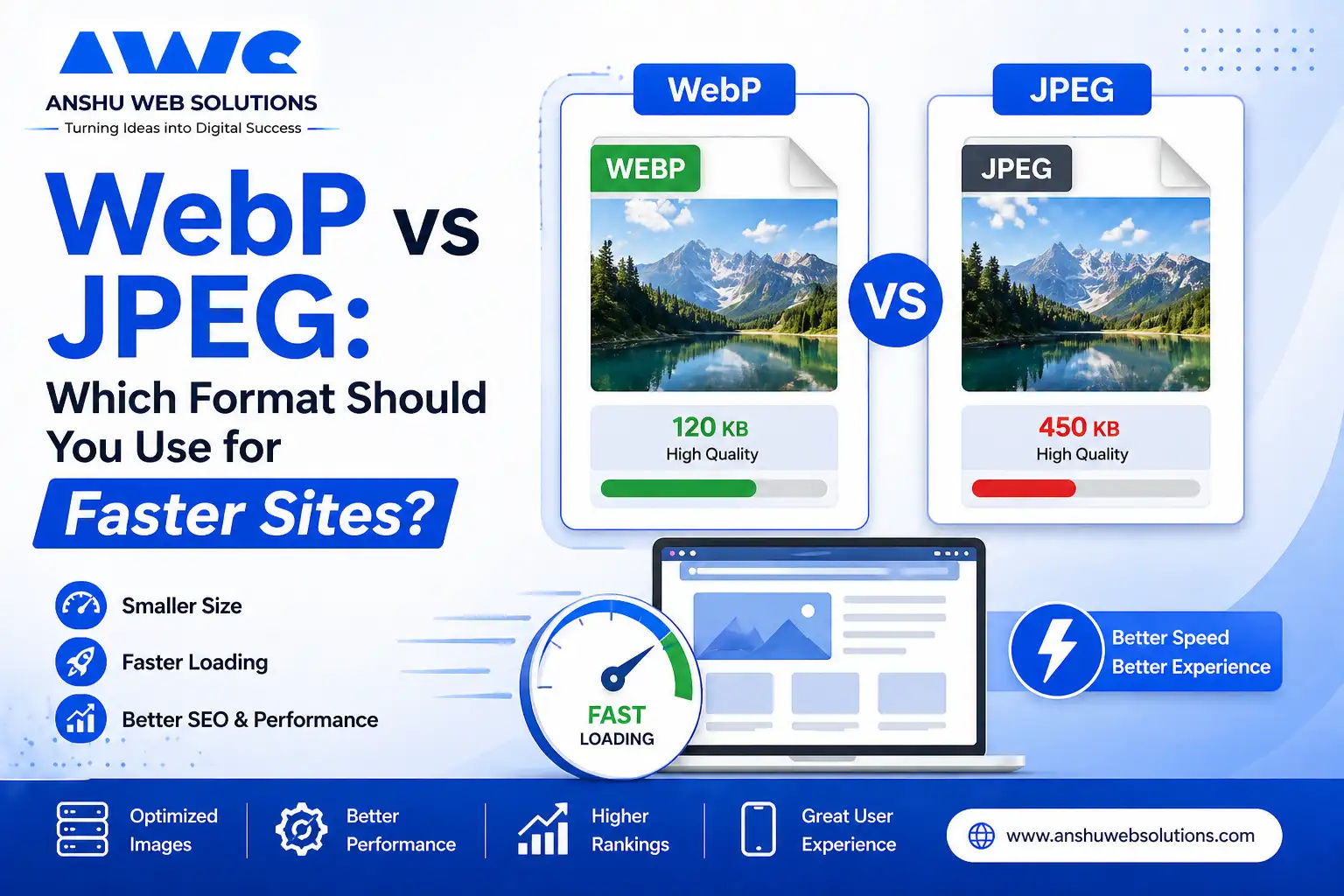
WebP usually results in more compact files than JPEG.
Small-sized images help to load pages quickly.
Winner: WebP
2. Image Quality
The formats can render equally high-quality pictures if optimized properly.
JPEG remains superior in photography; however, WebP renders images with equally high quality but in smaller sizes.
Winner: WebP in most scenarios
3. Browser Compatibility
JPEG works in all browsers without any problem.
Modern browsers support WebP; hence, it is supported by most browsers.
Winner: JPEG for compatibility with older web browsers
4. Transparent Backgrounds
JPEG does not support transparent background colors.
WebP format enables image transparency.
Winner: WebP
5. Webpage SEO and Speed
Because loading time affects website ranking, WebP wins this round.
Winner: WebP
Which Format Should You Use for Faster Sites?
Use WebP If You Want:
- Faster loading website
- Better Google PageSpeed scores
- Lower image sizes
- Modern SEO optimization
- Mobile performance improvements
Use JPEG If You Need:
- Older software compatibility
- Simple photo storage workflows
- Universal legacy support
- Quick uploads without conversion tools
Best Strategy for Smart Websites
For most contemporary sites, the optimal way to go would be:
Use WebP as Primary Format
Serve WebP images to users for faster performance.
Keep JPEG Backup if Needed
Some systems use fallback JPEG versions for older environments.
This gives both speed and compatibility.
At Anshu Web Solutions, we often implement this strategy for clients.
https://anshuwebsolutions.com/png-webp-converter
Many businesses focus only on design but forget speed.
A slow site can cause:
- Visitors leaving quickly
- Lower conversions
- Poor mobile experience
- Lower search rankings
- Reduced trust
Optimized image formats directly improve performance and customer experience.
How to Convert JPEG to WebP
There are several ways of converting JPEG files to WebP:
- Online converters
- WordPress plugins
- Image optimization tools
- Developer tools
- CMS automation systems
Need expert help? Explore Digital Marketing Services for SEO and performance growth.
Common Mistakes to Be Avoided
Uploading Original Camera Images
Large raw photos slow websites badly.
Ignoring Compression
Even WebP images should be optimized.
Using Wrong Dimensions
Resize images before upload.
No Lazy Loading
Load images only when needed for better speed.
WebP vs JPEG for eCommerce Websites
For online stores, image speed is critical because product pages contain many visuals.
WebP helps:
- Faster product pages
- Better mobile shopping
- Improved conversion rates
- Lower bounce rates
This is valuable for eCommerce success.
Why Businesses Choose Anshu Web Solutions
At Anshu Web Solutions, we build websites that are not only attractive but also fast and search-friendly.
Our services include:
- Website development
- Speed optimization
- Image compression
- SEO improvements
- Mobile performance upgrades
- Conversion-focused design
We combine design with technical performance.
Conclusion
When comparing between WebP and JPEG, there is no doubt regarding which one should be used on your website.
If you want your website to be more efficient and faster and give your users an enhanced user experience, you should go for WebP.
But JPEG is not a bad choice either and can be used when you need a simpler solution.
Anshu Web Solutions will help you in getting better optimization and make your website faster and smarter.