If you've ever stood in line at 9:05 AM waiting for your turn at a fingerprint scanner that just won't read a colleague's finger for the third time, you already know why so many offices are rethinking biometric attendance. HR teams across India are quietly moving away from fingerprint machines and toward face recognition attendance systems and the reasons have less to do with "trendy tech" and more to do with everyday practicality.
This isn't a hype piece for one technology over another. Both fingerprint and face recognition attendance systems have real strengths and real limitations. Let's walk through them honestly so you can decide what actually fits your workplace.
How Fingerprint Attendance Systems Work
Fingerprint biometric attendance machines have been the default in Indian offices, factories, and schools for close to two decades. Each employee's fingerprint ridge pattern is captured once during enrollment and matched against a live scan every time they check in or out.
Where fingerprint systems hold up well:
- Low per-unit hardware cost for very small, single-location setups
- Well understood by older IT teams and admin staff
- Works without an internet connection in basic offline models
Where they tend to break down in real use:
- Manual labour, factory, and field staff often have worn, cracked, or calloused fingertips that scanners struggle to read
- Every employee has to physically touch the same surface, which became a hygiene concern that hasn't fully gone away post-2020
- Hardware wears out — sensors get scratched or dusty and accuracy drops over months of use
- Queues form at shift start and end, especially with 50+ employees on one machine
- Machines are usually fixed to one location, which doesn't work for field sales teams or remote staff
How Face Recognition Attendance Systems Work
A facial recognition attendance app captures a short 3D scan of an employee's face — usually a few seconds — and converts it into a mathematical facial vector during one-time enrollment. From then on, the camera compares live face data against that stored template to mark check-in and check-out, without any physical contact.
Practical advantages that matter day to day:
- Touchless by design. Nobody shares a surface, which matters for shared reception areas and kiosks.
- Faster at scale. A face scan typically takes a couple of seconds, which reduces bottlenecks when a large team clocks in around the same time.
- Works well for field and remote teams. Since many face attendance apps run on a phone, employees can check in from a client site or job location, often with GPS location tagging to confirm they were actually where they said they were.
- Lower long-term maintenance. No mechanical sensor to clean or replace — the "hardware" is essentially a camera, which most phones and kiosks already have.
Fair trade-offs to know about:
- Recognition accuracy can be affected by very poor lighting or if someone's face is heavily obscured (masks, for example)
- Initial setup requires clear enrollment photos for every employee
- Depending on the vendor, ongoing cloud storage or subscription costs may apply
Accuracy, Hygiene, and Cost: A Side-by-Side Look
| Factor |
Fingerprint Attendance |
Face Recognition Attendance |
| Contact required |
Yes, physical touch |
No, touchless |
| Speed at peak hours |
Slower with long queues |
Generally faster per person |
| Works for field/remote staff |
Rarely, fixed device |
Yes, mobile-app based |
| Maintenance |
Sensor wear over time |
Minimal, camera-based |
| Location verification |
Not built in |
Often includes GPS tagging |
| Best suited for |
Single-location factories, small offices with tight budgets |
Offices, retail, multi-branch teams, field staff, hybrid workforces |
Neither system is objectively "better" in every scenario. A small factory with 15 workers on one floor might genuinely be fine with a basic fingerprint machine. But most growing businesses — especially ones with reception desks, multiple branches, or employees who move between locations — find that touchless face attendance solves problems fingerprint systems simply weren't built for.
What to Look for in a Face Attendance App
If you're evaluating face recognition attendance software, these are the features worth checking before you commit to a plan:
- Touchless check-in with liveness detection — so a photo held up to the camera can't be used to fake attendance
- GPS location tagging — useful for verifying field staff and remote check-ins
- A kiosk mode for reception areas — so a shared tablet or phone can handle walk-in check-ins without individual devices for everyone
- Cooldown protection — a short buffer window that prevents an accidental double scan from logging an unwanted checkout
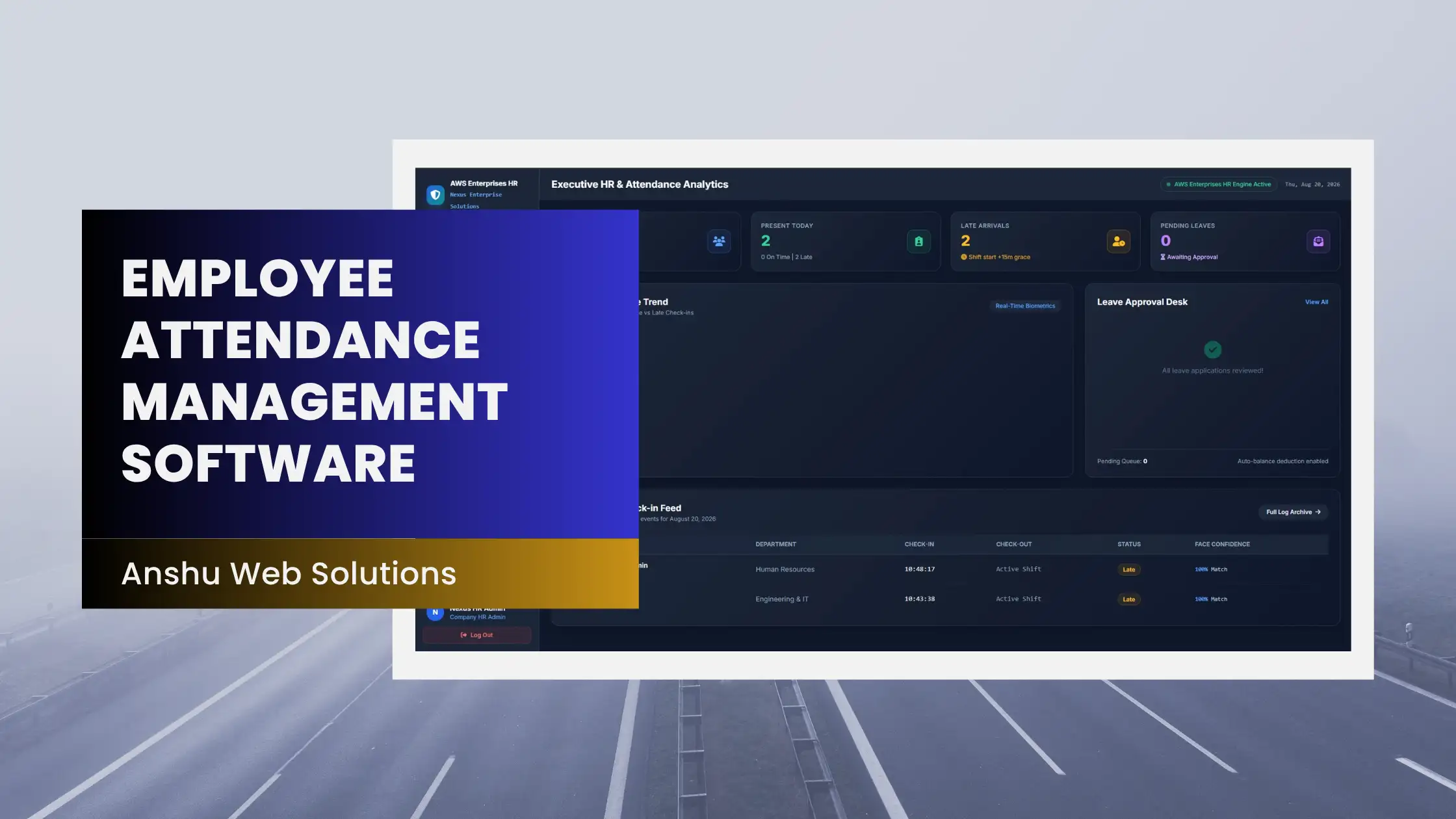
- A web admin dashboard — for HR to filter attendance logs by employee and month, and export reports for payroll
- Shift and grace-time settings — so late marks and working hours are calculated the way your company actually operates, not a generic default
This is roughly the feature set you'll find in Anshu Web Solutions' Face Attendance App, which includes touchless facial recognition check-in, GPS tagging, a reception kiosk mode with cooldown protection, and a web admin portal for monthly attendance filtering — built as an Android and iOS app so it works whether your team is in one office or spread across branches. Plans start at a low monthly cost for small teams, and there's a free trial period if you want to test it with your actual staff before rolling it out company-wide.
Making the Switch Without Disrupting Your Team
If you do decide to move from fingerprint to face recognition attendance, a smooth rollout usually looks like this:
- Run both systems in parallel for one to two weeks so nobody misses a check-in during the transition
- Enroll employees during a slow part of the day, not during shift-start rush
- Explain the "why" to your team — most resistance comes from unfamiliarity, not the technology itself
- Start with one department or branch before rolling out company-wide
Frequently Asked Questions
Is face recognition attendance more accurate than fingerprint attendance?
Both can be highly accurate under normal conditions. Fingerprint accuracy tends to drop with worn or damaged fingertips, while face recognition accuracy can be affected by very poor lighting. In practice, most businesses find face recognition more reliable at scale simply because there's no physical sensor wearing down over time.
Can face attendance apps be tricked with a photo?
Reputable systems use liveness detection, which checks for real-time movement and depth rather than accepting a static photo. Always confirm this feature before choosing a vendor.
Is face recognition attendance a data privacy risk?
Facial data should be stored securely and used only for attendance purposes. Ask any vendor directly how facial templates are stored, whether they're encrypted, and who has access, before enrolling your team.
Do I need special hardware for face recognition attendance?
Not necessarily. Many modern systems, including app-based ones, work on a standard smartphone or a tablet set up in kiosk mode at reception — no dedicated biometric hardware required.
Which is cheaper long-term, fingerprint or face recognition attendance?
Fingerprint machines can have a lower one-time hardware cost, but face recognition apps often work out cheaper long-term for growing or multi-location teams since there's no per-device hardware to buy and maintain as headcount increases.
Looking to move your team off fingerprint scanners? Explore the Face Attendance App by Anshu Web Solutions and see how touchless, GPS-based attendance fits your workplace — with a free trial to test it first.