Most small businesses don't set out to buy attendance software. It usually starts with a smaller problem: a spreadsheet that's gotten out of hand, an employee disputing their working hours, or a manager tired of chasing people for leave approvals over WhatsApp. By the time you start actually searching for "employee attendance management software," you're not looking for a feature list you're looking for the headache to stop.
This guide is written for exactly that stage. Not a vendor comparison chart, but a practical walkthrough of what to actually look for, what most businesses overpay for, and how to pick something that fits a team of 15 or 50 without buying enterprise software built for 5,000.
Why Manual Attendance Tracking Breaks Down
Excel sheets and manual registers work fine for a handful of people. The trouble starts as a team grows:
- Late marks and half-days get recorded inconsistently across managers
- Payroll teams spend hours every month reconciling attendance with leave records
- There's no reliable way to confirm someone actually worked from the location they claimed
- Disputes over hours worked become "he said, she said," with no objective log to check
None of this is a people problem it's a tooling problem. And it's exactly what attendance management software is built to remove.
What "Employee Attendance Management Software" Actually Means
The term covers a fairly wide range of tools, from simple clock-in apps to full HR suites. Broadly, they fall into three categories:
- Manual check-in apps — employees tap a button to mark attendance. Simple, but easy to misuse (buddy punching, marking attendance for someone else).
- Biometric or face recognition attendance systems — attendance is tied to the employee's actual physical presence, either through fingerprint, RFID card, or facial recognition, which removes the "who really checked in" question.
- Full HR platforms — attendance is one module inside a larger payroll, leave, and performance management system, usually priced and built for larger organizations.
For most small and mid-sized businesses, the sweet spot is category two: attendance verification that's reliable enough to trust, without the cost and complexity of a full HR suite you'll only use 20% of.
The Features That Actually Matter (And the Ones That Don't)
It's easy to get pulled in by long feature lists. Here's a more honest breakdown.
Worth prioritizing:
- Touchless, tamper-resistant check-in. Face recognition or biometric verification prevents one employee from marking attendance for another — a common issue with simple tap-to-check-in apps.
- GPS location tagging. Especially important if you have field staff, delivery teams, or multiple office branches. It confirms someone checked in from where they were supposed to be.
- A clean admin dashboard. You should be able to filter attendance by employee and by month in a few clicks, not export raw data and build your own pivot table every payroll cycle.
- Shift and grace-time configuration. Every business defines "late" differently. Your software should match your policy, not force you to match its defaults.
- Reception or kiosk mode. If you have walk-in staff or a shared entry point, a single tablet-based kiosk can handle check-ins without issuing a device to every person.
Usually not worth paying extra for (at small-business scale):
- Deep performance-review modules bundled into attendance software you'll never fully use
- Complex custom-report builders when a monthly export covers 90% of what payroll actually needs
- Enterprise-only features like multi-country tax compliance, unless you're actually operating across multiple countries
A Simple Framework for Comparing Options
When you're shortlisting attendance software, run each option through these four questions:
1. Does it fit your team size today, not five years from now? A 20-person business doesn't need software priced and built for 5,000 employees. Look for tiered pricing that scales with your headcount so you're not overpaying early on.
2. Does it work the way your team actually works? If you have field staff, office staff, and a reception desk, your software needs to handle all three — mobile check-in, GPS tagging, and a kiosk mode — not just one.
3. Can HR actually get a report out of it in under a minute? Test this before you buy. Ask for a demo and specifically request a monthly attendance filter for a single employee. If it takes several steps or a support call, that's a sign of what payroll day will feel like every month.
4. Is there a free trial? Any vendor confident in their product should let you test it with your real team before you commit to a paid plan.
What This Looks Like in Practice
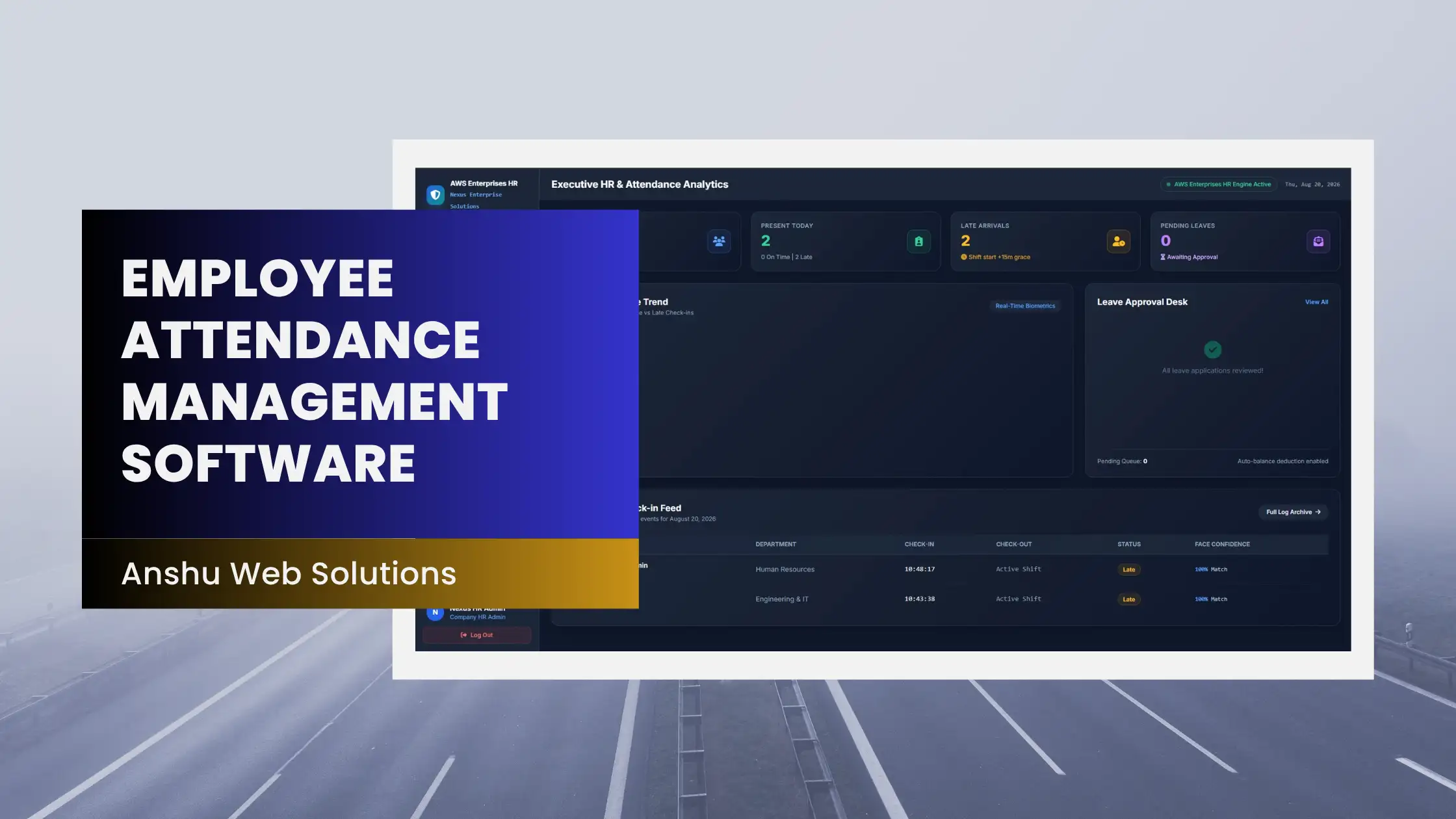
Anshu Web Solutions' Face Attendance App is built around this exact framework for small and growing teams. It combines touchless facial recognition check-in with GPS location tagging, a reception kiosk mode for walk-in staff, and a web admin dashboard where HR can filter attendance logs by employee and by month for payroll. Plans are tiered by team size — starting with a plan for smaller teams and scaling up to multi-branch, unlimited-employee options — and each plan includes a free trial period, so you can test it with your actual staff before deciding whether it's the right fit.
It's not the only option worth evaluating, and it shouldn't be the only one you look at — but if the checklist above matches what your business needs, it's a reasonable one to shortlist.
Common Mistakes When Switching to New Attendance Software
- Rolling it out to everyone on day one. Pilot with one team or branch first, fix any friction, then expand.
- Skipping employee communication. People are more cooperative with biometric or face-based check-in when they understand how their data is stored and used.
- Not checking export formats before payroll runs. Confirm the software exports attendance data in a format your payroll process can actually use.
- Ignoring what happens without internet. Ask how the app behaves for field staff in low-connectivity areas, if that applies to your team.
Frequently Asked Questions
How much does employee attendance management software cost for a small business?
Pricing varies widely by vendor and team size, but many small-business-focused plans start in the range of a few hundred rupees per month for teams under 20-25 employees, scaling up as headcount and feature needs grow.
Is face recognition attendance software difficult to set up?
Most modern systems are designed for non-technical HR teams. Enrollment is typically a short one-time face scan per employee, done directly on the mobile app, with no dedicated IT setup required.
Can attendance software work for remote or field employees?
Yes, provided it's app-based with GPS location tagging. This lets field staff check in from client sites while giving HR a way to confirm where the check-in actually happened.
Do I need a full HR suite, or is attendance software enough?
If your main pain point is attendance accuracy and reporting, a focused attendance management app is usually more cost-effective than a full HR suite. Consider a broader platform only once you also need payroll processing, recruitment, or performance management in the same system.
What's the difference between a free and paid attendance app?
Free tools are often fine for very small teams with basic needs, but paid plans typically add GPS tagging, kiosk mode, multi-branch support, and dedicated customer support — worth it once attendance accuracy starts affecting payroll decisions.
If a spreadsheet or a shared register is still your attendance system, it might be time for something built for the job. Take a look at Anshu Web Solutions' Face Attendance App and try it free with your own team.